|
||
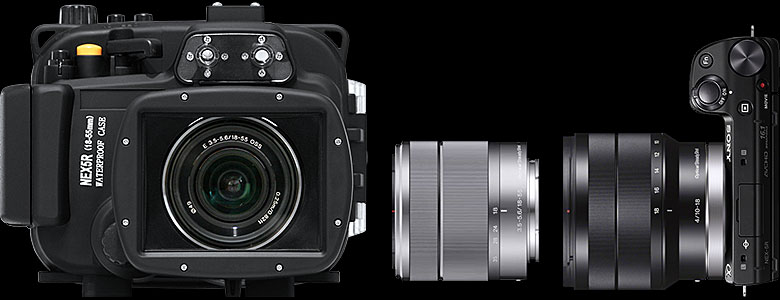
PERSONAL OBSERVATIONS: SONY NEX-5R, 5N • PROFESSIONAL IMAGE QUALITY • KIT LENS PERFORMANCE • AUTOFOCUS • 1080 60P VIDEO • VIDEO SILENT LENSES • FOCUS PEAKING • COMPACT SIZE • UNDERWATER HOUSING  PROFESSIONAL IMAGE QUALITY Our NEX-5R (DXO Sensor Score 78), and 5N (DXO Sensor Score 77) produce virtually identical image quality so samples from both products are good representations what the NEX-5 series 16-megapixel cameras are capable of. 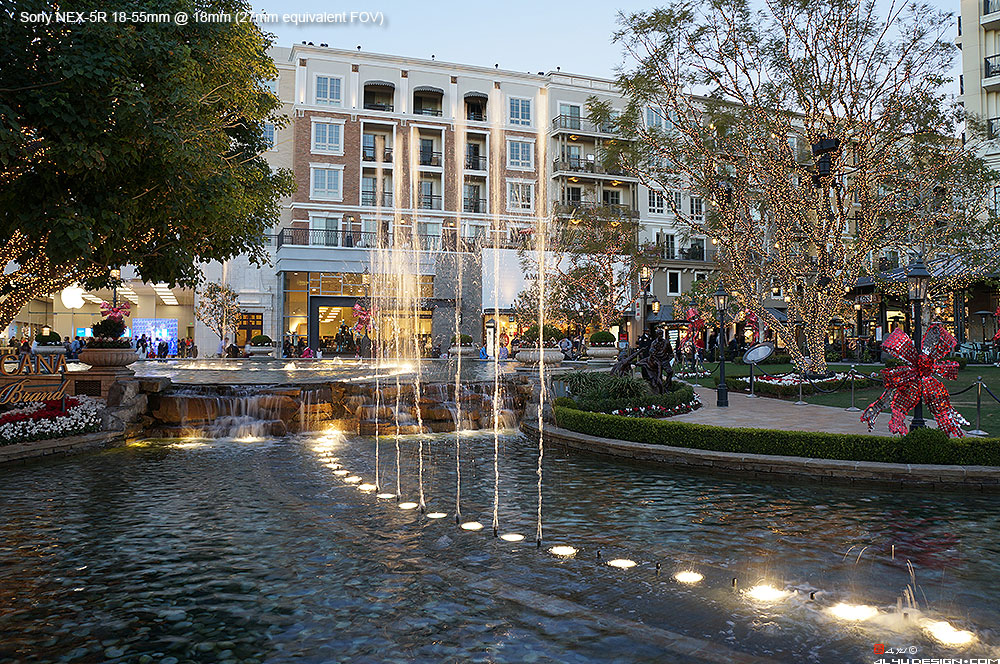 The scene above taken at ISO 100, 200, 400, 800, 1600, 3200 (maximum Auto ISO), 6400, 12800, and 25600 can demonstrate NEX-5R/5N's image quality in real-world situations, as well as the performance of the 18-55mm kit lens at 18mm. The noise level at the maximum Auto ISO setting of 3200 is still very acceptable. CAUTION: Changing High ISO NR from Normal to Low will produce a lot more blotchy noise pattern in JPEG files. dpreview full-frame comparison shows the NEX-5R/5N with an APS-C sensor actually rival the professional full-frame dSLRs in high-ISO JPEG image quality. dpreview APS-C comparison shows the NEX-5R/5N better the top APS-C dSLRs in high-ISO JPEG quality and more than keep up in RAW. Switch between JPEG and RAW. dpreview mirrorless comparison shows the NEX-5R/5N have one to two stops better high-ISO image quality over the Micro Four Thirds and Nikon 1 cameras. NOTE: The NEX-5N ISO6400 (actual ISO4540 DXO Measurement tab) should be compared to halfway between E-M5 ISO6400 (actual ISO3024 DXO Measurement tab) and ISO12800 (actual ISO5953). KIT LENS PERFORMANCE dpreview reviews show that the E 18-55mm F3.5-5.6 OSS delivers better overall performance than the similarly priced Canon 18-55mm F3.5-5.6 IS and Nikon 18-55mm F3.5-5.6 VR. The E 18-55mm reaches its maximum overall sharpness at F5.6 on the wide end and F8 on the telephoto end. The Sony E 16-50mm F3.5-5.6 Pancake OSS Power Zoom is an ultra compact kit lens with 24-75mm equivalent focal range. Measuring 30.2mm (1-3/16") retracted, this lens is only 7.7mm (5/16") deeper than the 16mm pancake 22.5mm (7/8") and half as long as the 18-55mm kit lens 60mm (2-3/8"). ePhotozine Sony E 16-50mm review. LENS ADAPTER 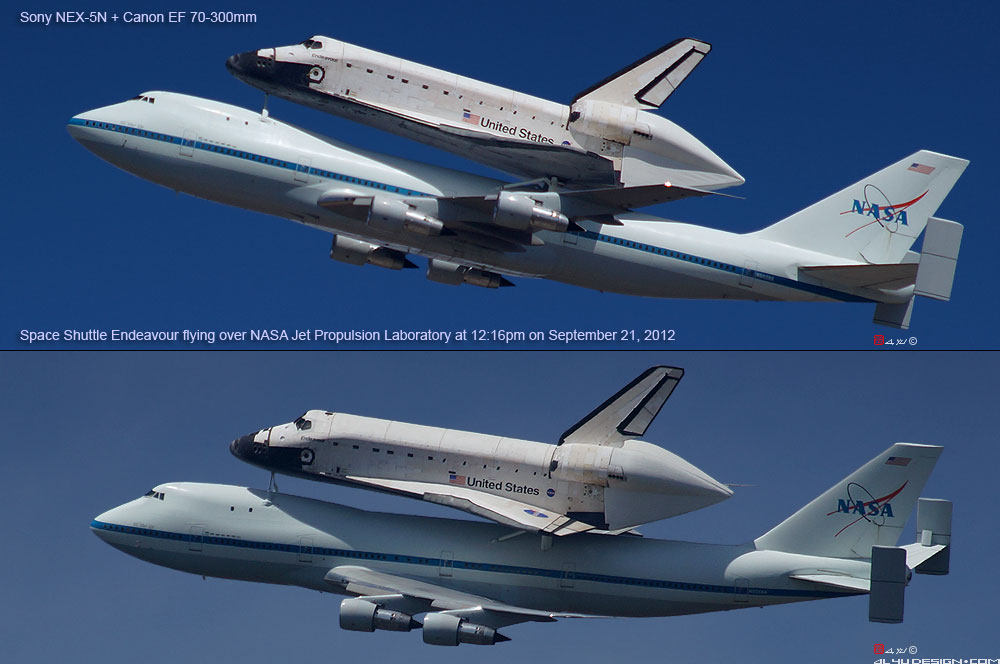 With a Sigma MC-11 EF to E-Mount Adapter, our Canon EF 70-300mm IS USM delivers excellent results on the Sony cameras. However, the autofocus is extremely slow. AUTOFOCUS PHOTO AF: NEX-5R features Hybrid Autofocus System that uses 99 on-sensor phase-detection cells to perform initial autofocus and then switch to contrast-detection to lock focus. Overall, 5R's hybrid AF with the ability to track moving subjects performs better than 5N's contrast-detection system. 60P VIDEO: Autofocus Tests: NEX-5R and 5N feature camcorder-quality, silent video autofocus that delivers smooth and steady transitions between subjects. Autofocus area can be selected, using the touchscreen during filming - an extremely useful feature in many situations. (Length 0:45, 1080 60p AVCHD, FCPX) The LA-EA4 lens adapters add SLT full-time phase-detection autofocus to the E-mount system. Here are two videos, showing the impressive ability to track fast-moving subjects on the NEX-5N and NEX-FS700. 1080 60P VIDEO NEX-5R and 5N have the ultra-smooth 1080 60p HD with full manual control over shutter speed, aperture, and exposure compensation during recording. The video quality is virtually identical, perhaps the newer 5R has slightly, slightly higher level of sharpness, moire, and aliasing than the 5N. 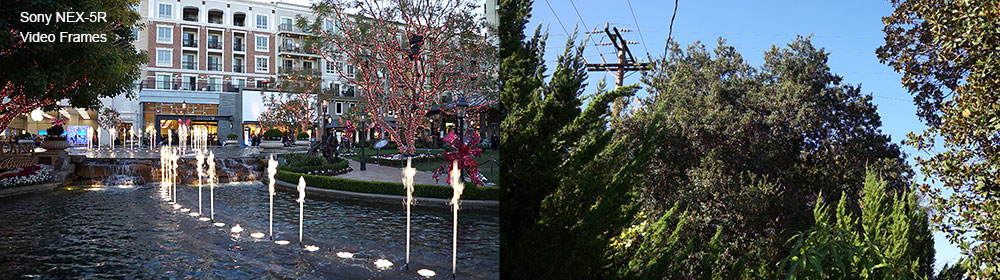 Download the original 1080 60p AVCHD videos of the evening water fountain (26MB .MTS) and the daytime trees (42MB .MTS). 60P VIDEO: Low-light Tests: Most clips were recorded at ISO3200 with Custom White Balance and AF. (Length 0:49, 1080 60p AVCHD, FCPX) VIDEO-SILENT LENSES NEX lenses are video silent so there won't be noise made by Optical SteadyShot and autofocus audible in the videos. FOCUS PEAKING & MANUAL FOCUS ASSIST NEX-5R, 5N To enable Focus Peaking and Manual Focus Assist on the 5R and 5N, set the AF/MF Select to MF or DMF. DMF = AF (Autofocus) + MF (Manual Focus). The Focus Peaking function highlights in real time all of the in-focus edges or objects in the scene to make it much easier to verify and fine tune focus. To take a macro shot in the DMF mode, simply autofocus first, hold focus, and then either turn the focus ring or move the camera slowly in and out, and the intensity of the highlight will indicate precisely when maximum focus is achieved.  Manual Focus Assist enlarges the screen image to 460% whenever the focus ring is turned. Use the Bottom key to enlarge the image to 950% and then cycle back to 460%. NOTE: The button layouts on the back of the 5R and 5N are identical. 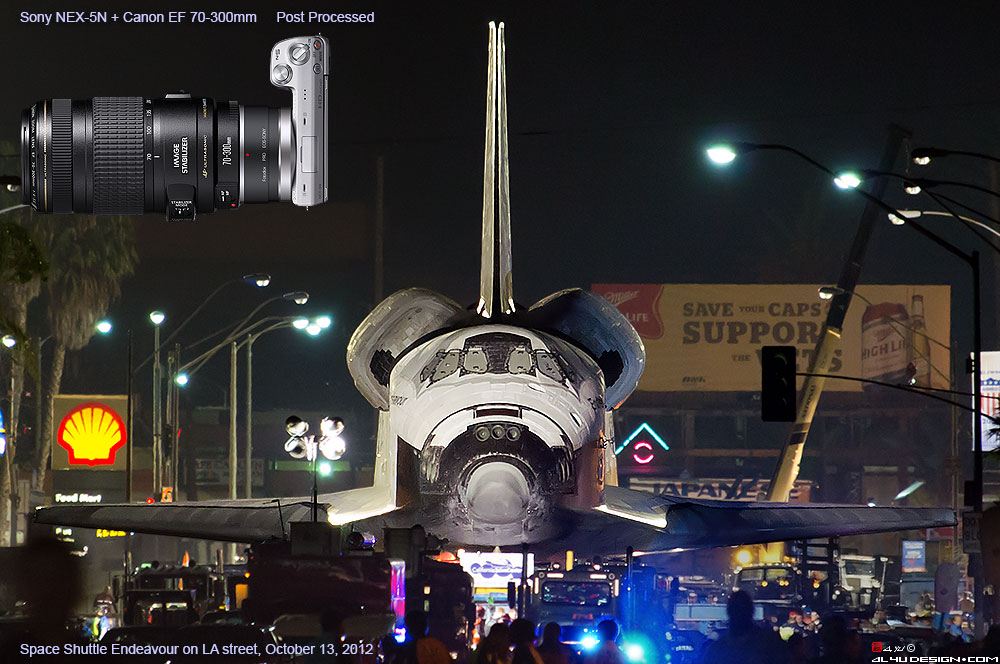 The Focus Peaking and Manual Focus Assist functions are extremely helpful, especially when using non-native lenses under difficult lighting conditions. 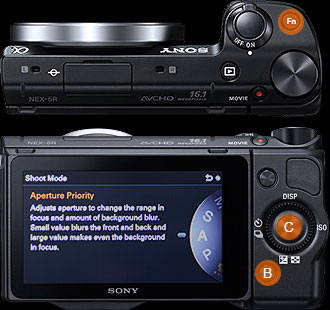
PROGRAMABLE KEYS NEX-5R Five functions can be assigned to the programmable FN Key located on the top of the camera for quick access. Our settings: (1) AF/MF Select (2) Autofocus Area (3) RAW/JPG (4) Creative Style (5) Dynamic Range/Auto HDR Pressing the Center Key on the back of the 5R will bring up the Shoot Mode menu - P, A, S, M, Panorama, Scene, iAuto, sAuto - a much needed and welcome improvement. One function can be assigned to the programmable Bottom Key located on the back of the camera. Our setting: (1) White Balance NEX-5N Seven functions can be assigned to three programmable keys for quick access. Our settings: Center Key (5 functions): (1) ISO (2) RAW/JPG (3) Autofocus Area (4) Autofocus Mode (5) Dynamic Range/HDR Right Key (1 function): Autofocus / Manual Focus Select Bottom Key (1 function): White Balance  WHITE BALANCE NEX-5R, 5N With White Balance assigned to the identical Bottom Key on the 5R and 5N, press the B button once to bring up the White Balance Select menu - screen shot above right. Press the B button again to bring up the White Balance Graph. Then use the Left, Right, Up, Down buttons to fine tune the screen image to match the scene. NOTE: The button layouts on the back of the 5R and 5N are identical.  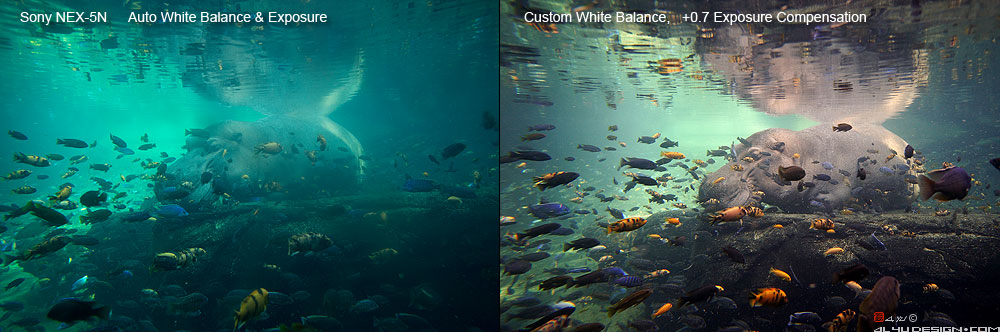 Adjusting White Balance at the scene is the best way to obtain the most accurate colors under difficult lighting situations - much better than adjusting WB in RAW days, weeks, or months later from fading memory. Since RAW is only available for photos, Custom White Balance must be set properly on the spot before shooting videos. COMPACT SIZE With either the E 16-50mm Pancake Power Zoom or the E 16mm Pancake Prime, the NEX-5 series cameras are miniature take-everywhere cameras that deliver professional dSLR image quality. UNDERWATER HOUSING 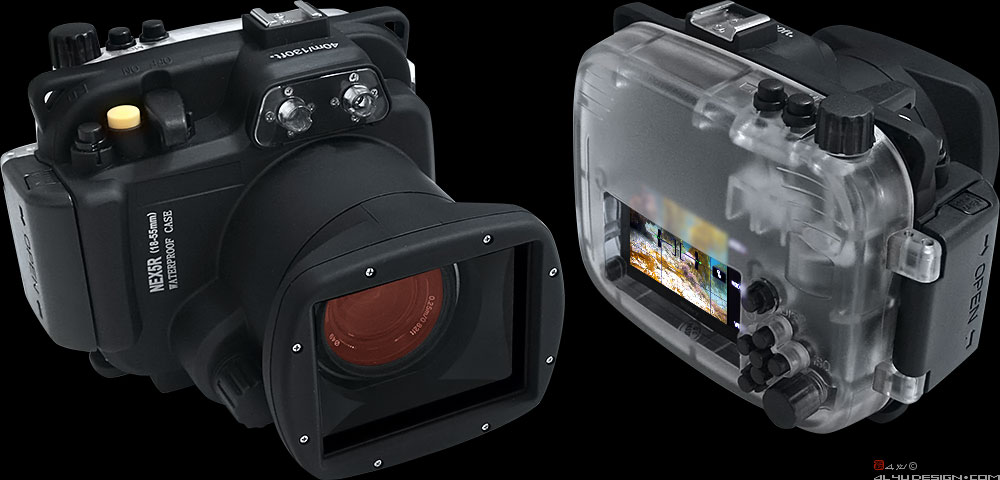 Rated 40 meters or 130 feet, the Meikon NEX-5R (18-55mm) underwater housing has performed well so far. Since the 5R does not feature Video RAW and setting Custom White Balance in deeper water often exceeds the adjustable range, resulting in an error message, using an Equinox red filter for blue water helps restore proper color balance under 3-21 meters or 10-70 feet of water. This Sony / Equinox setup produces surprisingly accurate colors in California water. 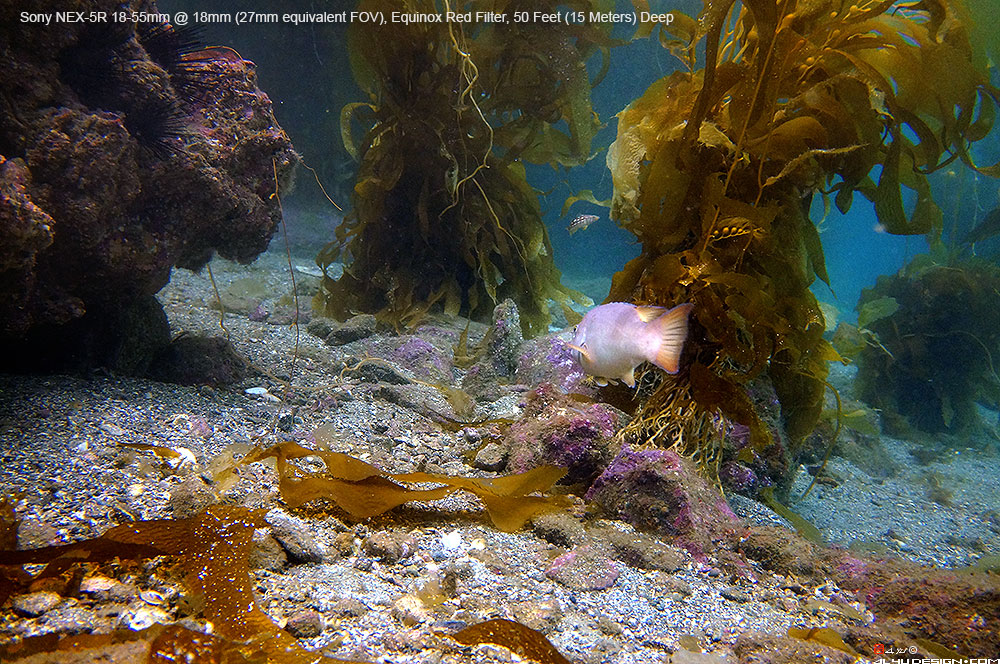 CONCLUSION LOVE THE NEX-5R AND THE 5N - great image quality and great video in such tiny bodies! Autofocus performance under low-light situations is 5N's main weakness. The good news is that 5R's on-sensor phase-detection autofocus system now delivers better overall performance. |
||
|
||
Copyright © 1999-2024 Albert Yu. All rights reserved. |